Start Up & Operation

Important Notes Before Start-Up
Do not operate Powerclean Salt with newly poured pool plaster.
Check with the pool builder or remodeler for specifics on their products before you operate a Powerclean Salt chlorinator.

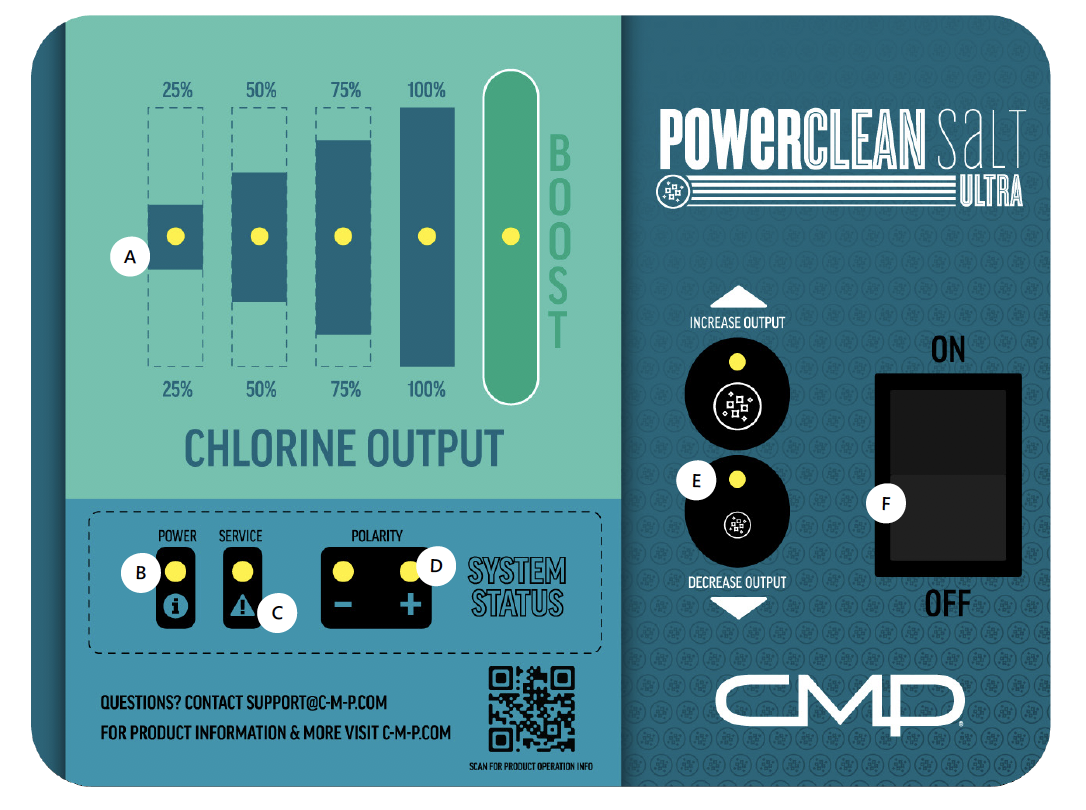
Navigating the Ultra Control Display
(A) Chlorine Output Lights show level of chlorine output as a percentage of system capacity
(B) Solid Power light indicates the system is operating correctly
(C) Service Light indicates a system warning
(D) Polarity indicates direction of current; reverses every 6 hours of operation automatically
(E) Press Output Controls Up or Down to increase or decrease system output
(F) On / Off Switch controls main power to system
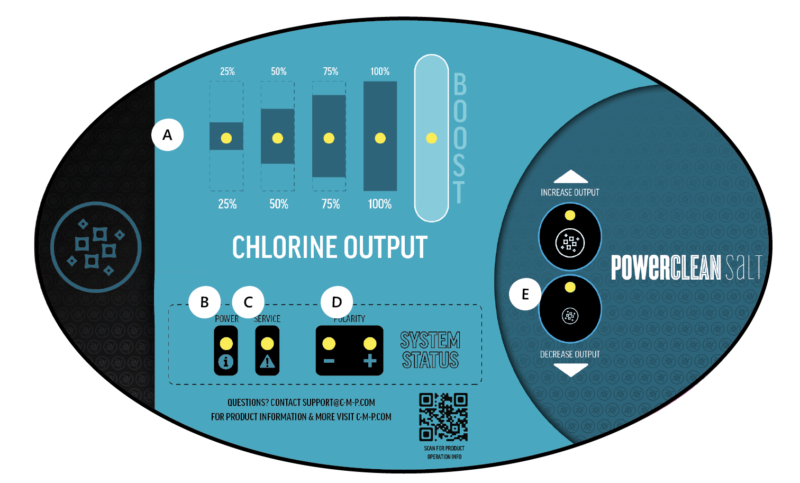
Navigating the Powerclean Salt Control Display
(A) Chlorine Output Lights show level of chlorine output as a percentage of system capacity
(B) Solid Power light indicates the system is operating correctly
(C) Service Light indicates a system warning
(D) Polarity indicates direction of current; reverses every 6 hours of operation automatically
(E) Press Output Controls Up or Down to increase or decrease system output
(Not shown- located below operation panel) On/Off Switch controls main power to system
System Power-Up
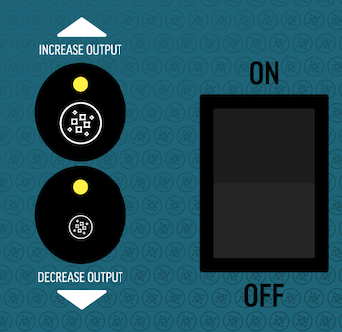
Engage Power switch by pressing to “On” position. As the system boots up, the lights will flash for about ten seconds.
The Power light will then remain solid; the Chlorine Output lights will display the selected chlorine output level.
If the power is interrupted (either by the pump turning off or by putting the Power switch into the off position), the system will automatically reset to the setting when last powered on.
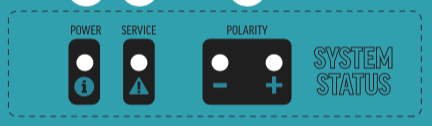
Regular Cell Operation
One of the Polarity lights will also illuminate, indicating the direction of current.
Every six hours of system operation the polarity will change automatically, which prolongs the life of the cell and minimizes build up between the cell blades.
Designed with an internal electronic flow sensing tab, this device automatically switches the power to the electrolytic cell “OFF” when the water through the cell stops.
To prevent cell damage and/or personal injury, do not in any way interfere with this system which has been designed for your protection.
Setting the System Output
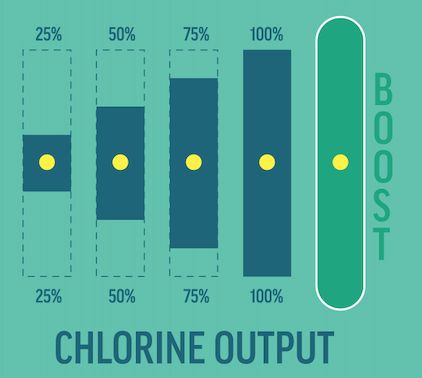
Once the system is in normal operation mode, increase or decrease output with the Output Controls. Each adjustment will be indicated at the Chlorine Output Lights.
Daily run time is 1 hour of operation for every 10 degrees of ambient temperature (i.e. 90 degrees would equal 9 hours of run time).
Once chlorine output percentage setting is set, output should only be adjusted for increased chlorine demand situations.
Using Chlorine Boost
When in BOOST Mode (with the red BOOST light illuminated) the system will automatically operate for 72 hours of run time, and then reduce to the 100% level.
BOOST Mode should be used to offset “abnormal” conditions like unusual weather or extremely high bather load.
If the Chlorine Output percentage setting is 100%, and chlorine residuals are still below the 1-3 PPM range, increase the output to BOOST.

Congratulations!
You have completed this chapter. To go to the next chapter, click next. To go back to the Chapter Table of Contents, click done.